Unconfigured Ad Widget

Collapse

Announcement

Collapse
No announcement yet.

Modellbåtens dag 2010

Collapse
X
Collapse
  •  

  • Modellbåtens dag 2010

    Copyright (c) Maritim Modellklubb13. juni avholdes Modellbåtens dag på Grorud med mange spennende innslag av speed, skala, seil, damp og u-båter for å nevne noe.
    Dette er en fin anledning for deg som er nysgjerrig, eller for deg som har egen båt og
    vil treffe likesinnede.

    Møt opp i Vannparken på Hølaløkka, Grorud 13.juni mellom 12-17!


    Spørsmål til arrangementet kan rettes til:
    Small Size Hobbyland AS
    Tlf 22173699 Oslo Sentrum (Lilletorget)

    .

    • >Jonas<
      #6
      >Jonas< commented
      Editing a comment
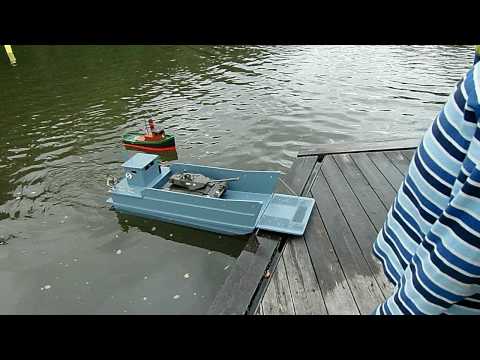
      Her er en liten videosnutt av landgangsbåten min, og slepebåten din Tore. Det var jo noen der som tok en del bilder, så det burde vel være mulig å få lagt ut noen her?

    • nikko
      #7
      nikko commented
      Editing a comment
      Sitter på masse bilder jeg kan legge ut til uka.

    • >Jonas<
      #8
      >Jonas< commented
      Editing a comment
      Venter spent på bildene.
    Posting comments is disabled.

Article Tags

Collapse

Latest Articles

Collapse

  • Managing CMS Section and Content
    by xilian
    Here's a quick Visual Guide on how Manage Sections in the new CMS.

    1. Editing a Section: If you have permissions to manage a Section, as you hover over the Section title, a pencil icon will display.
    [ATTACH=CONFIG]30613[/ATTACH]
    After clicking the pencil icon, you will be taken to the Section Edit page. Here's what you will see:

    2. Section Name:
    Enter the Section Name
    3. SEO URL Alias: This is the SEO Friendly URL. By default, if this is blank, the system will automatically copy the section title.
    4. Section Layout: For each section you can define an individual section layout.
    6 August 2016, 00:04
  • Article with Video
    by xilian


    This is a sample article with a YouTube video clip.
    6 August 2016, 00:04
  • How to Create a New Article
    by xilian
    Here's a quick visual guide on how to create a new article with the CMS.

    1. Create New Article Button: Navigate to the section you want the article to be published in. Click on the "Create a New Article" button. This will open an article form.
    [ATTACH=CONFIG]30608[/ATTACH]

    2. Article Title: In the "Add/Edit Article" screen, enter the title of your article in the "Title" textbox.
    6 August 2016, 00:04
  • Promoting Articles from the Forums
    by xilian
    One of the innovative new features on vBulletin 4.0 Publishing Suite is the cross-publishing "Promote to Article" functionality.

    In the spirit of promoting content discovery, we
    6 August 2016, 00:04
  • Welcome to the new CMS. Read me first.
    by xilian
    Welcome to the new CMS. Here's a quick guide of the different areas of this page.

    1. Section Navigation Widget. This widget allows you to go to different sections. The "plus icon" means that this section has sub-sections. Clicking on the "plus icon" will display the sub-sections.
    6 August 2016, 00:04
  • Schumacher Racing - Questions & Answers
    by NikolaiHåheim


    Har du spørsmål angående Setup av bil eller elektronikk, eller hva enn det måtte være hyl ut!
    Nikolai Håheim vil svare med egen erfaring på alle stilte spørsmål!

    Her er direkte link til Tråden; http://www.radiostyrt.no/showthread....267#post545267...
    3 December 2014, 12:24
Working...
X